
Part 1 | Part 2 | Part 3 | Part 4
If you’ve been following along from part 2, you’ll know that I’ve built the first version of the Screenie Device app. (You’ll also have spotted how manky my fingernails were in the ‘sneak peak’ video. I’m such a catch) So it’s time to move on and create the central web app as a place for all-things screen time allowance-like…
Web App requirements
On the surface, the web app has no particularly arduous requirements. The main ones are:
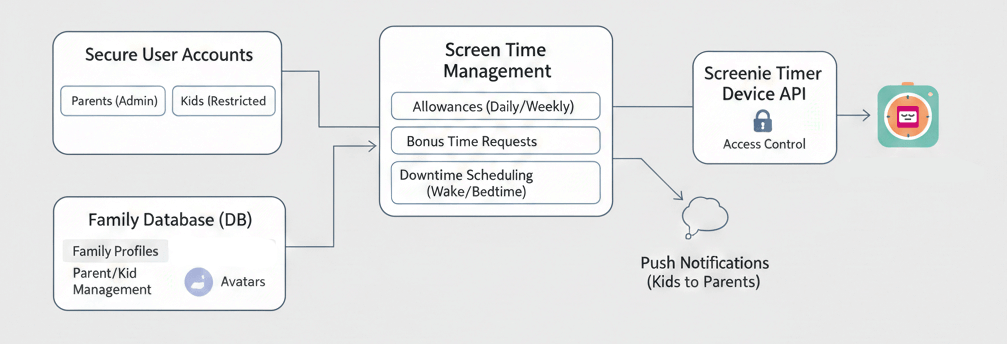
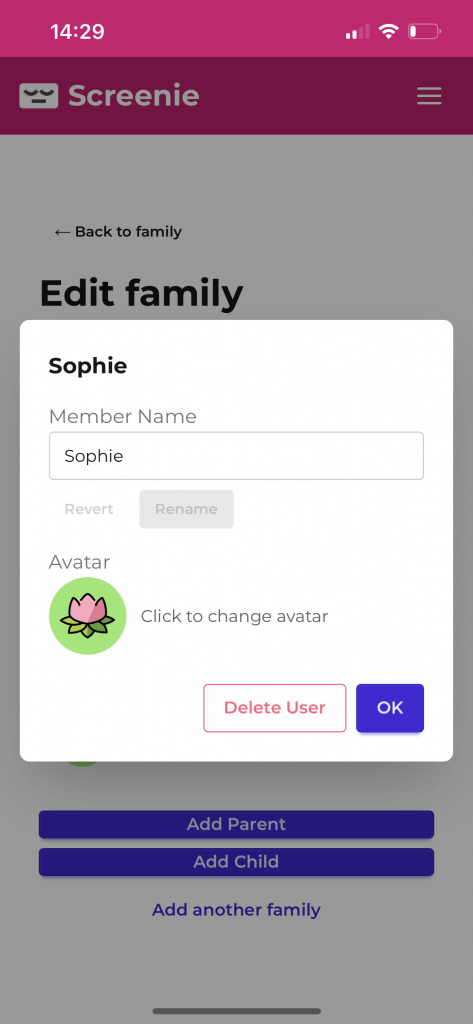
- Support multiple family members logging in securely, persist to DB
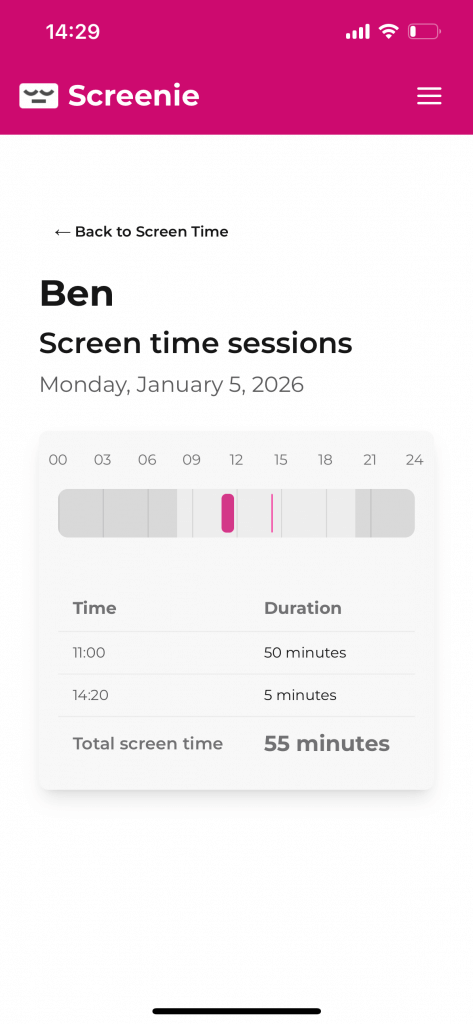
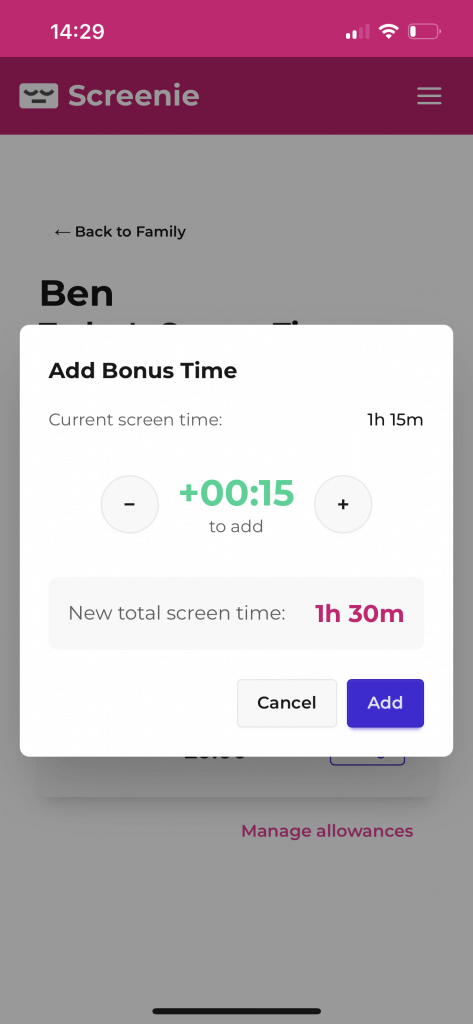
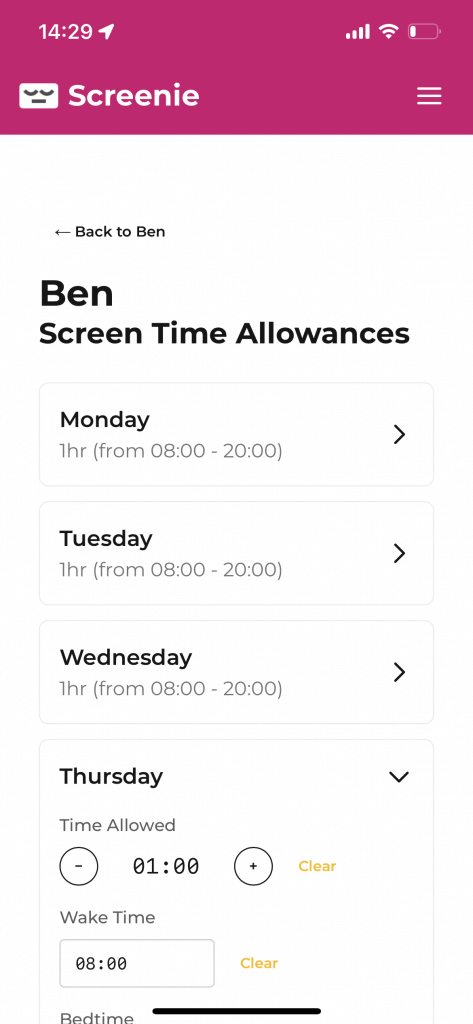
- Create screen time allowances (weekdays, weekends, etc) and bonus time capability
- Record screen time usage (sessions)
- API to sync with the Screenie timer device (and provide device pairing auth)
- Support push notifications for kids to ‘ask for more time’.
- Fully responsive on mobile devices, with PWA support
- Beautiful and intuitive (I am allergic to ugly apps)
Stretch goals:
- OpenAPI specification and developer docs in case anybody else wants to create their own screenie applications, or even to allow actual mobile device manufacturers to integrate with an open system.
- Access control – prevent keys from paired devices being able to be used nefariously.
- Wake-up/bedtime (i.e. ‘downtime’ support)
Perhaps a slight over-spec but I was very keen to play around with push notifications for Progressive Web Apps, to see how reliable and well-supported these are nowadays, given Apple’s historic heel-dragging on all-thinks PWA.
Web App tech stack
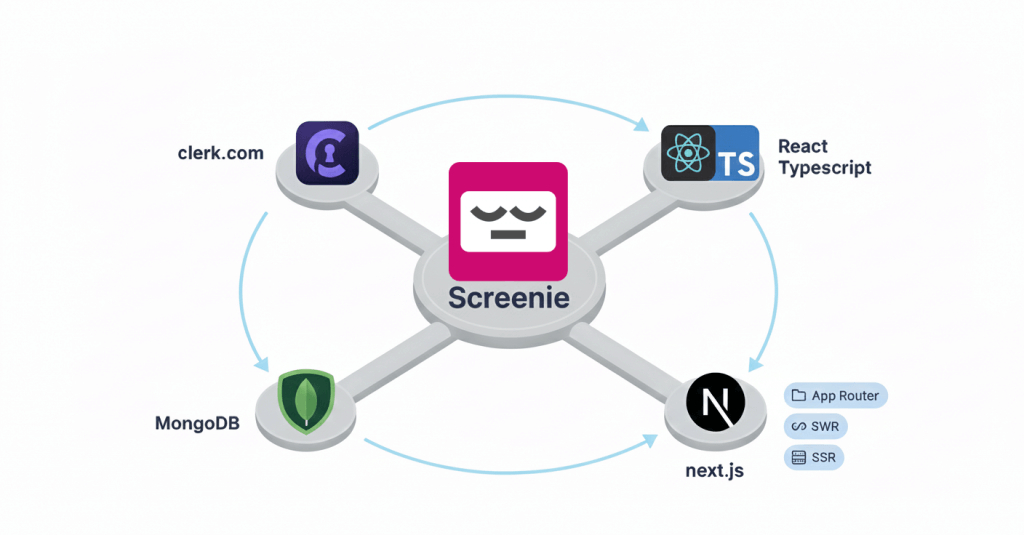
I’ve built a fair few client SPA web applications over the last few years, so I elected to go with what I know for simplicity’s sake. PWA tech stack will be:
- React Typescript: Widely supported, responsive, modern, type-safe (good for AI coding)
- Next.JS: App Router, SWR and Server-side rendering makes it fast and quick to build. (Also did you know create-react-app has been deprecated in favour of frameworks?)
- MongoDB: Free, Human-readable for testing.
- Clerk: Free federated login, generous free tier.
I’ll be deploying it to an Ubuntu v24-based server hosted at Hetzner, running on pm2 behind nginx. (widely supported, modern, easy to debug, affordable)
Getting stuck in
Coding the PWA took about half a day, and then a good additional day of unnecessarily mucking around perfecting the UX and sprucing things up. I don’t have many interesting stories or learnings to share from this part of the project – it’s a bread-and-button SPA (Single Page Application) and I’m pretty pleased with how it turned out.
It was a fun and enjoyable process, even in this weird age of writing less code and acting as more of a middle manager for AI agents instead. But I was sure to check all their working, and tell them off when they failed to be KISSy and DRY enough. Claude managed to pretty much one-shot the creation of the push notifications feature, including key creation, service worker and more – I guess it’s a well-known pattern, but it was still a delight to see it fall into place like that. It inspired me to think about asking it to document my API for me into OpenAPI specification and create a developer page too.. One of the hazards of AI-assisted coding is not knowing when to stop! The possibilities become so great, the pace of development so rapid, that it can be a little hard to know when to draw the line.
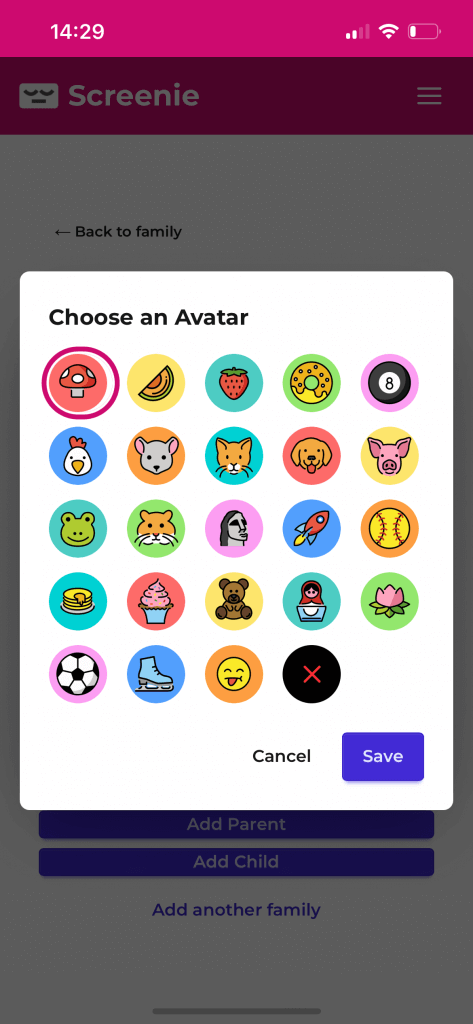
But, draw the line I have for now. Here’s some pictures of the Web App v1:

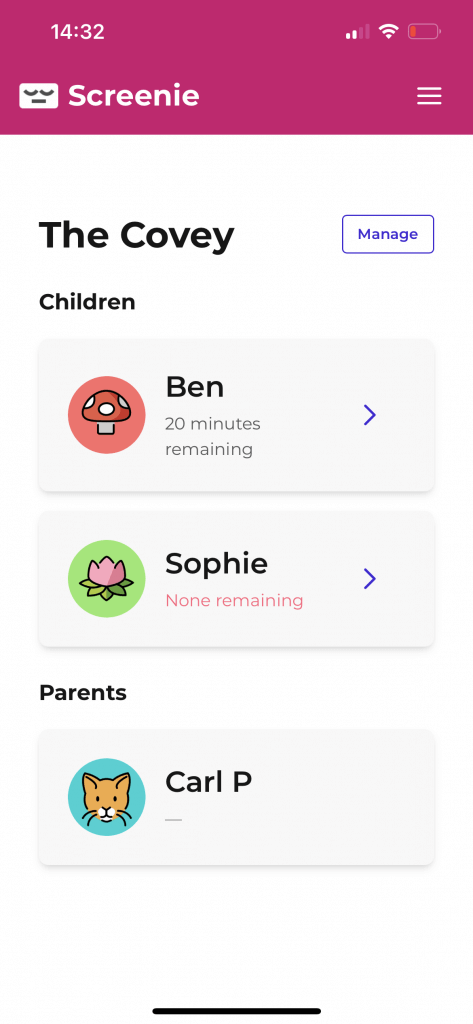
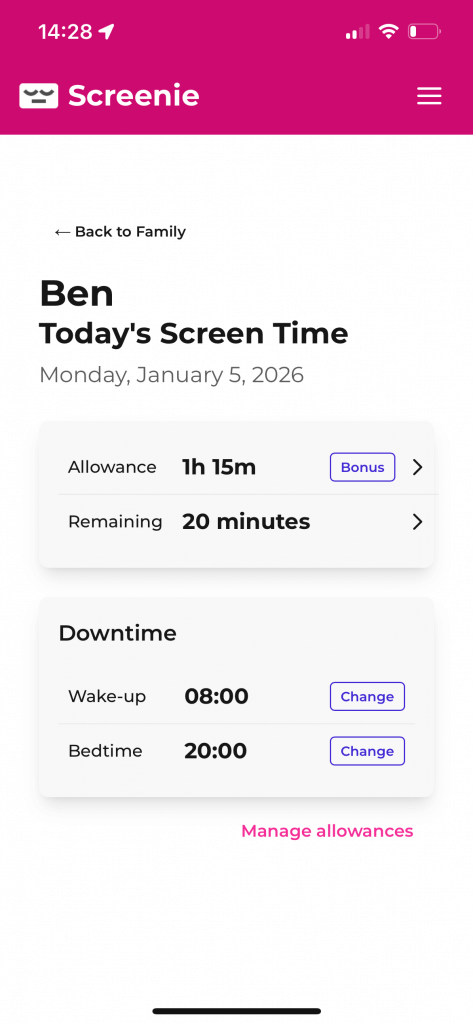
Next – check out the final part of this blog series, in which I’ll put all the pieces together, test out Screenie for real with my ungrateful kids, spent too much money on a vanity URL and then share a video showcase of it in action. Plus, how you can get your own Screenie or download the source code repos.

About Carl Partridge — I’m a Fractional CTPO working with startups and SMEs to lead the design and build of robust, scalable tech products and AI integrations. Let’s chat about how I could turbo-charge your tech product.