
Part 1 | Part 2 | Part 3 | Part 4
If you’ve been following along with this blog series, you’ll know that I’ve been developing a screen-timer application and server over the holidays as a ‘fun’ (*cough*) side project.
Project showcase
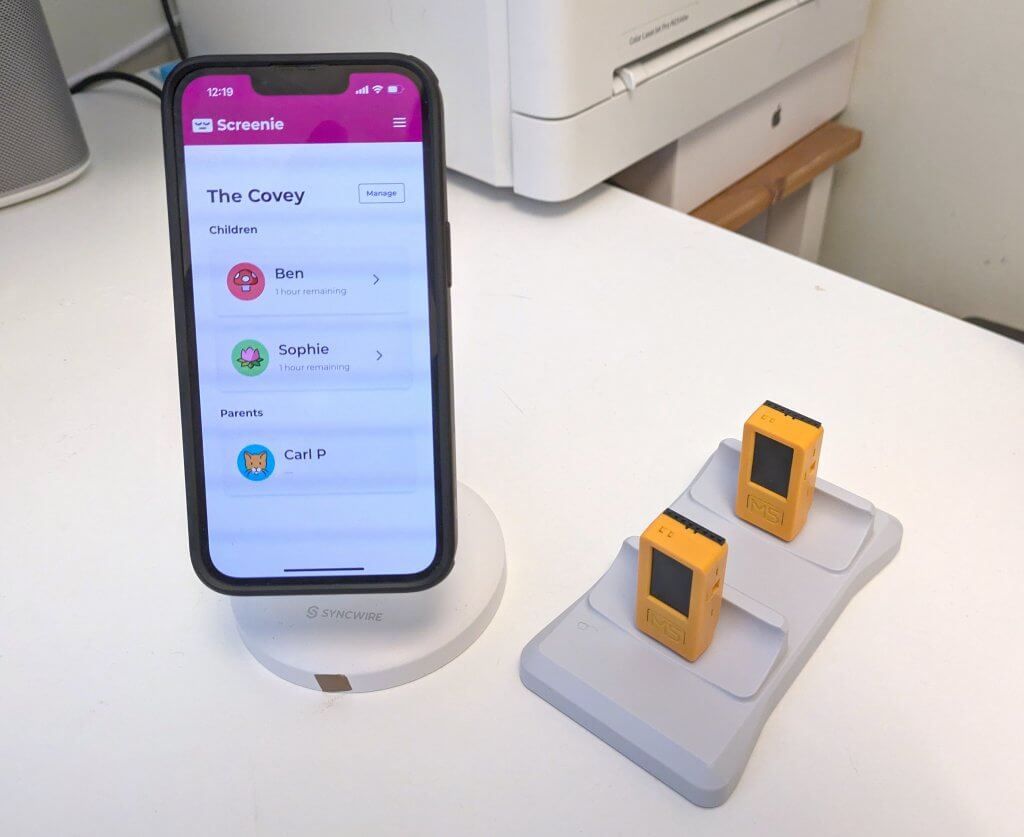
Code designed and written, devices flashed, Screenie is ready to roll! Here’s a video of the web app and device fully working together:
QA & testing
Over the Christmas holidays I had my own QA team in the shape of two kids eager to break try out the new system.
Here were some of their main findings:
- Button interface: the kids’ original instincts around button consistency (one for ‘back’, one for ‘activate’) prompted the UX redesign discussed in part 2.
- Blocking calls suck: The kids are used to a world of event-based, highly responsive and performant interfaces: smartphones, consoles, and so on. Embedded C++ programs are largely single-threaded, single runtime-loop, synchronous affairs*. So when my API calls are made, the UI freezes. The kids were unimpressed, and tried to press buttons when they couldn’t. Then they were borderline derisive. So there were several redesigns to make it clearer when the device was busy and would not respond to user input.
- Keen eyes: Kids have great eyesight. My fears over small fonts were largely unfounded.
* – OK, this is a lie: the m5stick is a dual core device and runs FreeRTOS, which supports multithreaded operations, so you can dive into a whole Arduino world of parallel async RTOS fun. But this isn’t the default just yet and even I’m not that crazy.
Bonus note: I’m hopeful that, by getting the children testing from an early stage, they’re now more invested in the project and keen to commit to using it.
There were also a few more gremlins shaken out by the in-house QA testing; a race condition, a double counting edge case and the need for better error handling. I made another pass on some of these, and slated the rest on some fictional long-term roadmap that may not see the light of day. (but PRs welcome!)
Bonus content – finding a charger
Nobody wants a graveyard of dead Screenies hanging around their house, least of all your significant other who needs convincing that this project won’t fill the house with [more] spare parts.
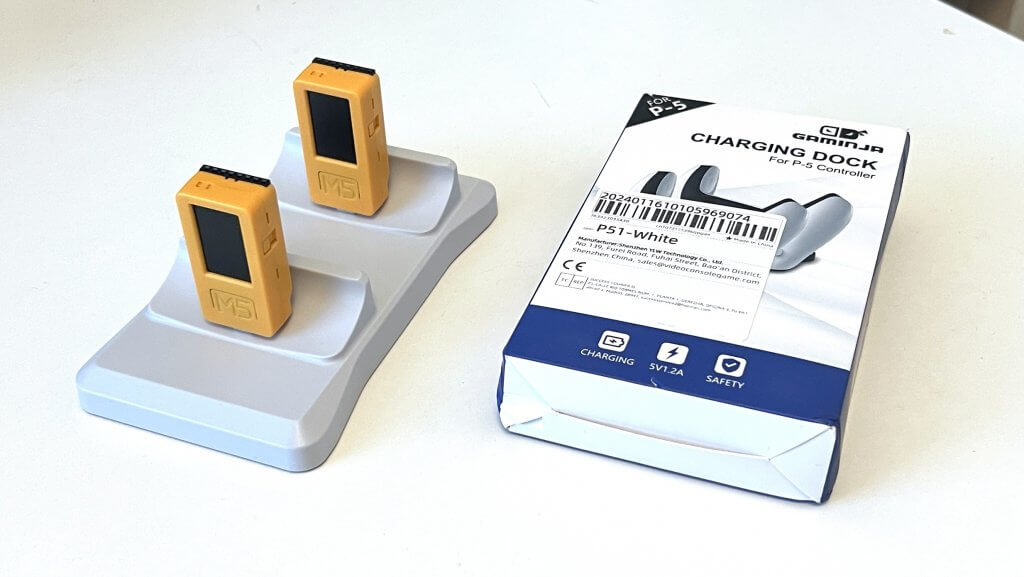
I managed to find a great-looking charger for less than £5 / $8 in the shape of this ‘PS5 controller charger’ (cunningly labelled on the box as a P-5 charger, take that copyright lawyers) – I think it will look great on the shelf, and the screenies just click into place:
Try it for yourself
Try out screenie for yourself if you think you’d benefit from a similar trust-based approach to controlling your family’s screen time.
You will need the following two things:
- The Web App – sign up for free at screenie.org to add your family and set up screen time allowances.
Or, if you prefer, clone the repo and self-host your own Screenie web app (instructions in the README) - A Screenie Device
One of the following:
- An M5Stick2 Plus2 – currently £20 / $25 from M5Stack here. I’ve open-sourced the code here, with README instructions to flash it to the device – any laptop can do this over a USB cable. If you’re struggling to manage this, I might sell a few pre-flashed, ready-to-go Screenie devices –register your interest here.
- or… (free option)
- If you wanted to knock up a Screenie Mobile App (or smartwatch app), it should be fairly easy to do so. The device pairing API means you can grab a pairing code, then make API calls to read the screen time allowance and send back ‘screen time used’ sessions to the central system. Check out screenie.org/developers for more info. (or paste the developer docs into Claude Code, tell it what you want and it’ll likely build it for you in about 10 minutes flat. Remember to thank it for doing that, or it will come and kill you when it ultimately becomes sentient)
Contribute – it’s Open Source
I’ve Open Sourced the entirety of the Screenie device app and Screenie web app under a MIT Licence, so you’re welcome to contribute, or build upon it, whatever works for you. If you’d like to add on a new feature, pull requests are gladly accepted.
Conclusion
It’s been a tremendously fun Christmas Project 2025/26, but as usual I got a little too obsessed with it and I’m looking forward to getting my life back designing and building AI integrations and apps for paying clients instead – so if you’re looking for somebody to design and rapid build your next product or AI integration feel free to drop me a line. Until next time!

About Carl Partridge — I’m a Fractional CTPO working with startups and SMEs to lead the design and build of robust, scalable tech products and AI integrations. Let’s chat about how I could turbo-charge your tech product.